
How to Separate Position Dimensions in After Effects
The position property in After Effects can exist as a single property or be divided into separate X Position, Y Position, and sometimes Z Position dimensions.
Why Separate Dimensions?
Separating position dimensions in After Effects is preferred by many motion designers because it unlocks the value graph for your position keyframes and it makes it easier to understand your animation keyframes at a glance.
Default Settings
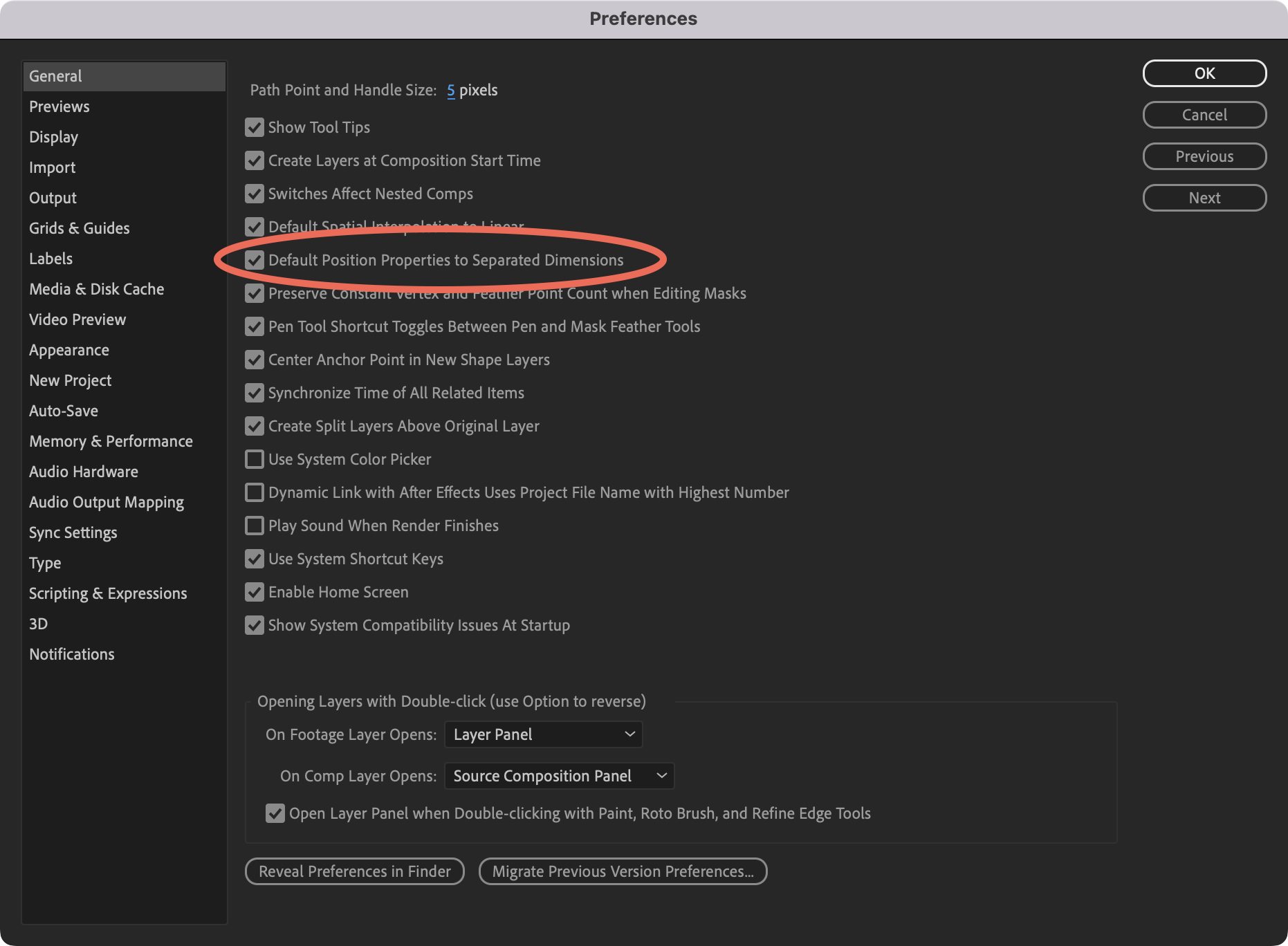
You can configure After Effects to automatically use separated dimensions by navigating to Preferences > General > Default Position Properties to Separated Dimensions. However, you'll likely encounter situations requiring manual separation when working with existing project files or third-party tools like Overlord.
Manual Separation Method
The built-in approach involves right-clicking the position property and selecting Separate Dimensions. However, this method has limitations:
- Only one layer can be modified at a time
- All keyframe easing and labels are removed
- Unnecessary keyframes are automatically added
Better Alternative: Xplode
Xplode is a free script offering improved separation functionality. Key benefits include:
- Batch processing multiple selected layers simultaneously
- Preserves keyframe easing and labels
- Omits unnecessary keyframes (e.g., no Y keyframes if only X position animates)
- Available as Script UI or Kbar integration